


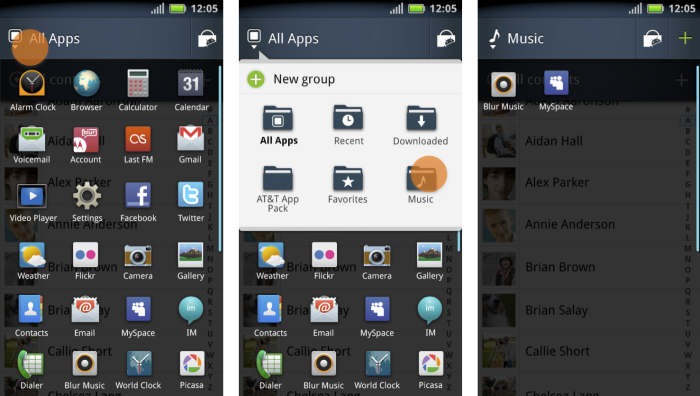
I was the lead UI designer on the MOTOBLUR Home Screen and related projects. One of our big projects for late 2010 was to add the ability for the user to better organize the "Apps Launcher." This screen shows all installed apps. The feature launched with "Blue Blur" devices in Spring 2011.
It was my concept to allow users to "tag" apps by putting them into "groups" rather than mutually exclusive folders, each with their own user editable name and icon. Other priority features were to allow the user to easily add the folder to the Home Screen, provide quick access to the Android Market, and to leverage the new Twitter-style UI patterns in the top command bar.
As Motorola moved to Android Ice Cream Sandwich is Summer 2012, the feature for grouping apps on this screen was one of the few legacy Blur features Motorola decided to keep.
A more complete professional portfolio is on my personal web site:
www.AnthonyDHand.com
