
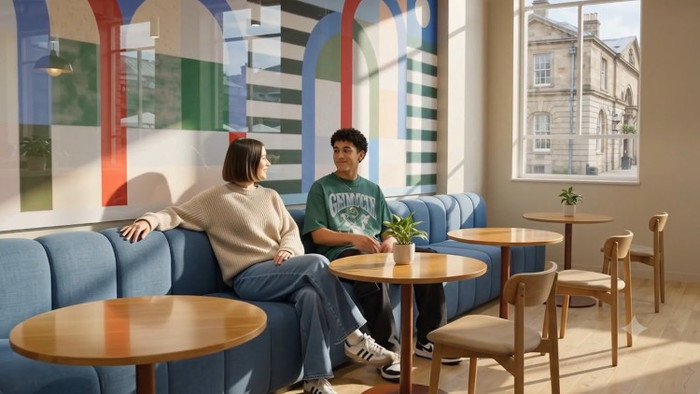
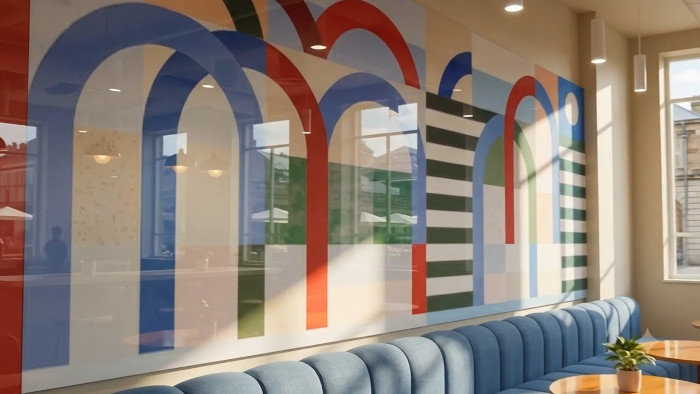

Snippet of wall graphic in lounge area. Based on Runway East Covent Garden coworking location.
Detail of wall graphic, lounge area
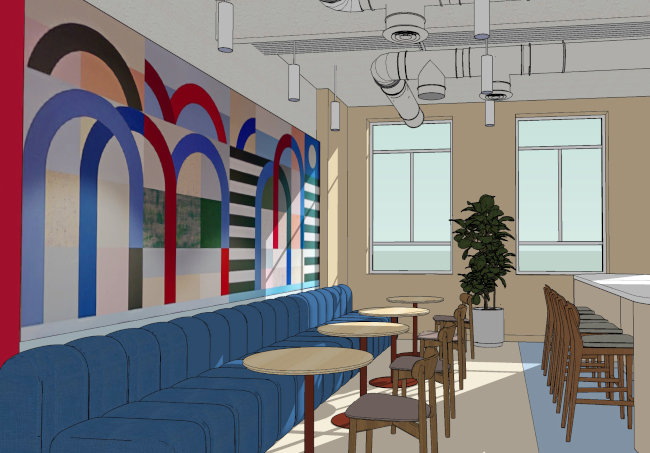
SketchUp image of featured wall graphic
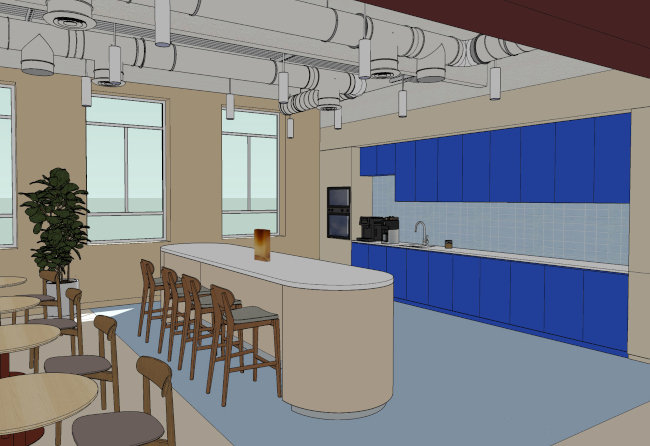
SketchUp image of other side of space
Rendering of other side of the coworking lounge space. I used this to fill out scene when making some of the videos below. I can use three frame references or more in Gemini, but only 2 frames if using Google Flow's Veo 3.1 Fast ("start"and "end"); and only 1 frame, or reference, when using Flow's new Omni Flash.
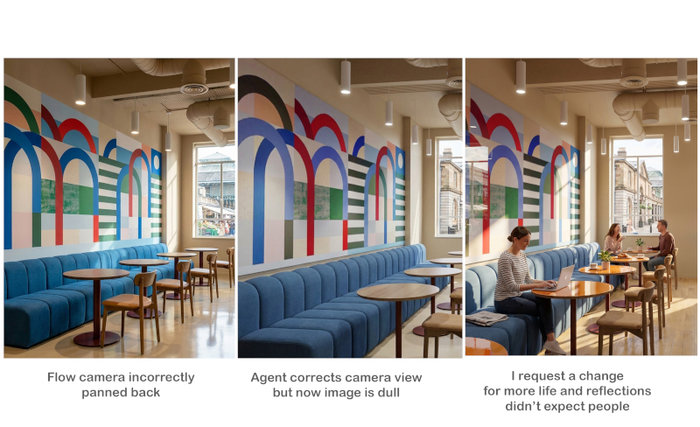
A few surprises: Google Flow image often changes the layout of my SketchUp image, sometimes panning back as if it wants to "complete" a view (image on left) I tried giving the Flow AI Agent instructions to keep the layout exactly as it is. It worked, but the rendering then became dry and lifeless (second view). I asked for more life and reflections. It did add lots more life and reflections, but also people I didn't expect.
Google Flow Omni Flash. Character realism is improved, in fact the emphasis may be too much on the people, their expressive faces, etc, rather than the design. I find Omni Flash tends to go in for a "close up" on the characters.
10 second video using Gemini's 3.5 Flash. The emphasis given to the characters is a more appropriate level, allowing the lounge design and wall graphic to shine as well.
This is another Flow Omni Flash video, which pays a lot of attention to people rather than the environment. I tried to lessen the emphasis on people in this video through my prompt. Omni Flash has advanced realism. Videos made with the predecessor to Omni Flash (in my opinion), Veo 3.1 Fast (not shown), now do not seem as interesting as Omni Flash videos, even if the emphasis on the room design and people might seem more balanced in Veo Fast.
gLike
New developments in Gemini, Google Flow

Renderings and videos (originally modeled in SketchUp) are based on Runway East Covent Garden coworking location.

In spite of Omni's increased realism, problems with Omni Flash and the new Google Flow site set up continue. I cannot extend an Omni Flash clip. I cannot use Veo 3.1 Fast for a clip and extend that, as Veo Fast has been discontinued as an extension option.

If I try to use Omni Flash as an extension to Veo 3.1 Fast, it does not attach to the timeline normally. And if I do get it attached, the transition between the clips is not natural or "intelligent" as it used to be, but noticeable and choppy.

Veo 3.1 Lite is the only model clip I can extend and have it land normally on my timeline; but even then, the transition, which used to be seamless, is choppy and noticeable.

Which means the "intelligent" transitions I was getting in Google Flow are no longer possible. And that had been one of the most incredible things about Google Flow.

Available
Freelance, Moonlighting
fmh design
Renderings of commercial interiors San Diego, CA